
Create a Backup Job (PVE)
Before You Start
Proxmox Virtual Environment Root/Admin access on web page
Onboarding email with PBS hostname, encryption key, fingerprint, username and password
Steps
If you connected your backup server using the installation script, then you do not need to setup a job unless you would like more than one.
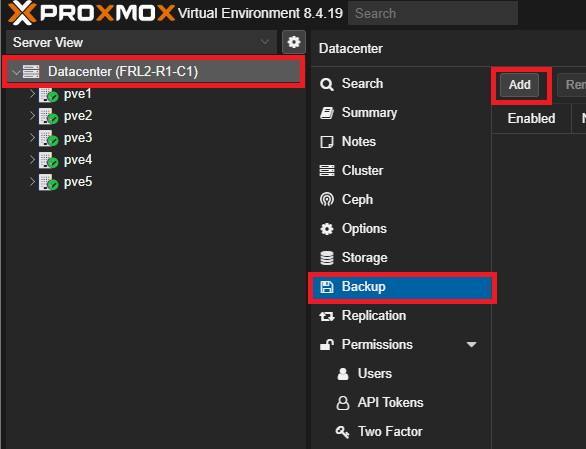
First, login to your Proxmox VE and go to Datacenter > Backup and hit Add.
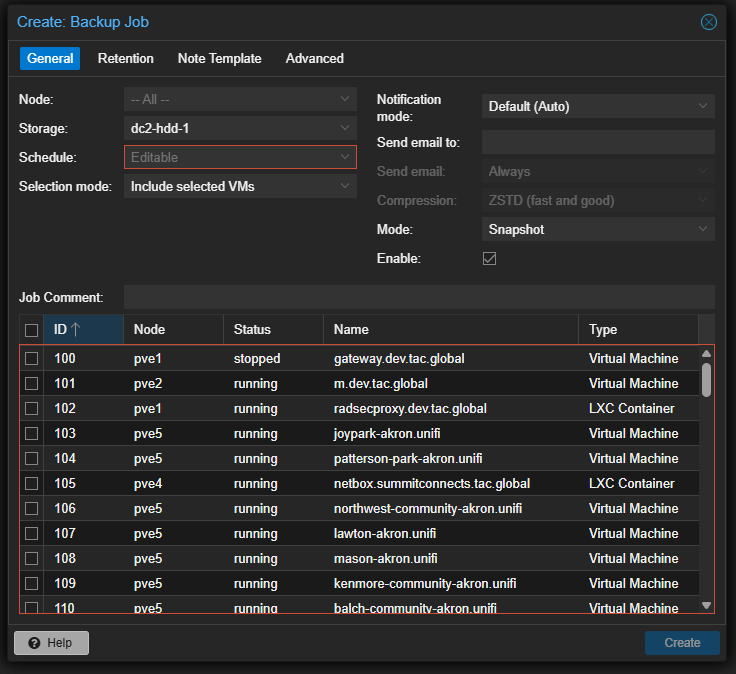
Under General, choose which nodes you'd like to backup from, the schedule the job should run and which emails the job sends notifications to and any job comments. You can specify which virutal machines/containers get backed up to the Proxmox Backup Server, but you must select at least one to proceed.
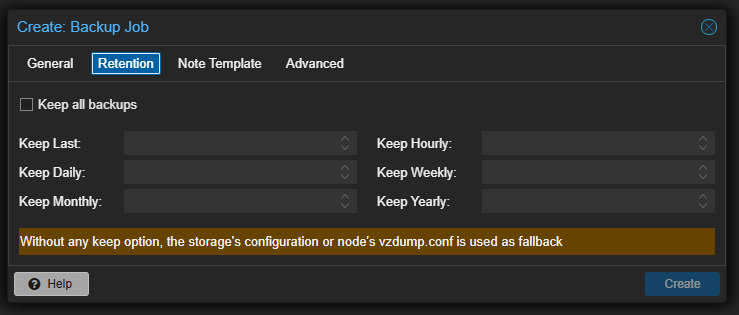
Under Retention, you can determine how long backups are kept. The rules stack so backups can be kept if multiple rules are true at once. If you need a guide for retention policies, go here.
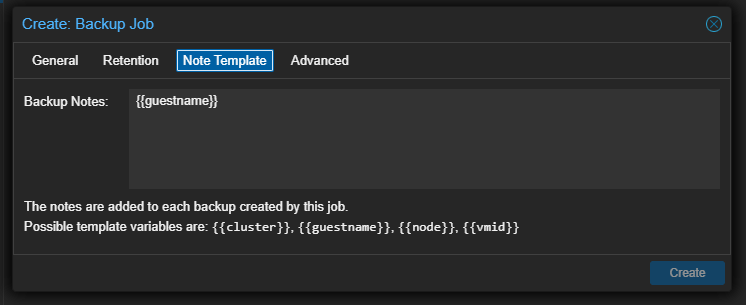
Under Node Template, you can specify notes for each backup. As seen below, you can use template variables to differentiate between each backup.
Once finished, hit create. Your backup job will run on the schedule chosen and all success/failure notifications will be sent to the email specified.