
Garbage Collection Jobs
Setting Up Your Garbage Collection Job
EachBy datastoredefault, only has onea garbage collection job.job Typicallyis anyalready set for your server that runs daily. Any data that has been pruned and is past the retention policy date gets removed when this job runs.
To defaultedit schedulethe forgarbage acollection job, login to the TAC.GLOBAL dashboard. On the homepage at the bottom, you should see your garbage collection job. Click Edit Job.
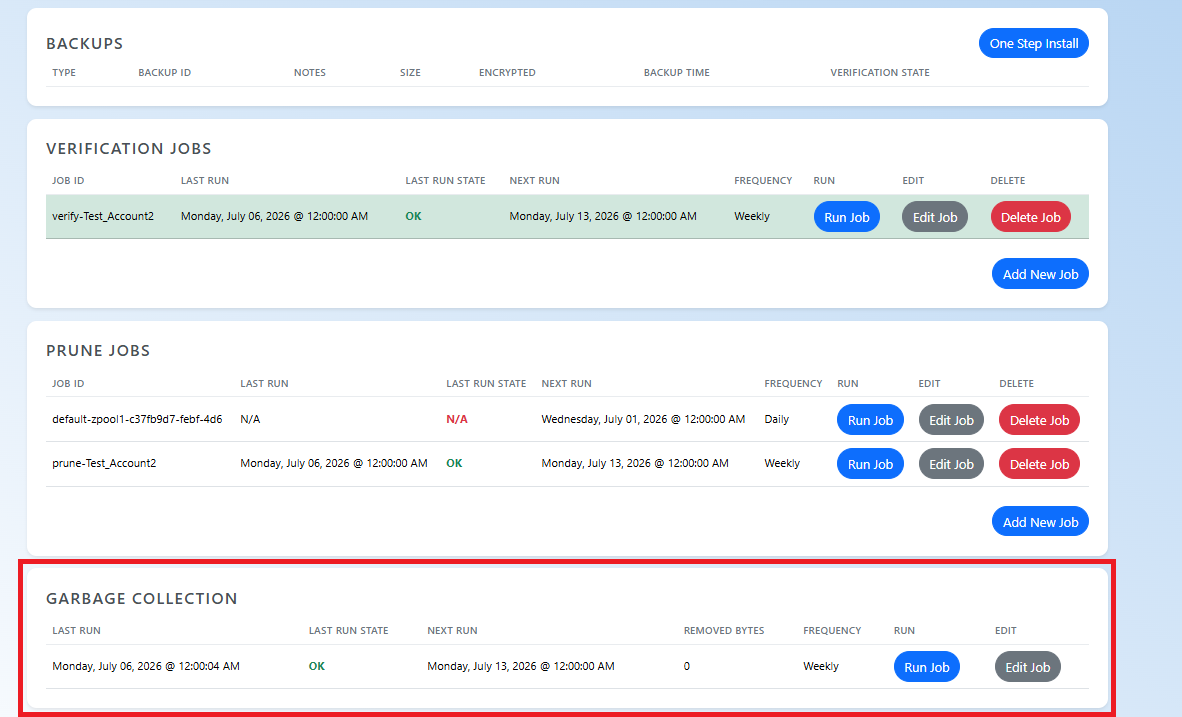
You can adjust the garbage collection job is daily. Garbage jobs can be run manuallyschedule from here as well.here.
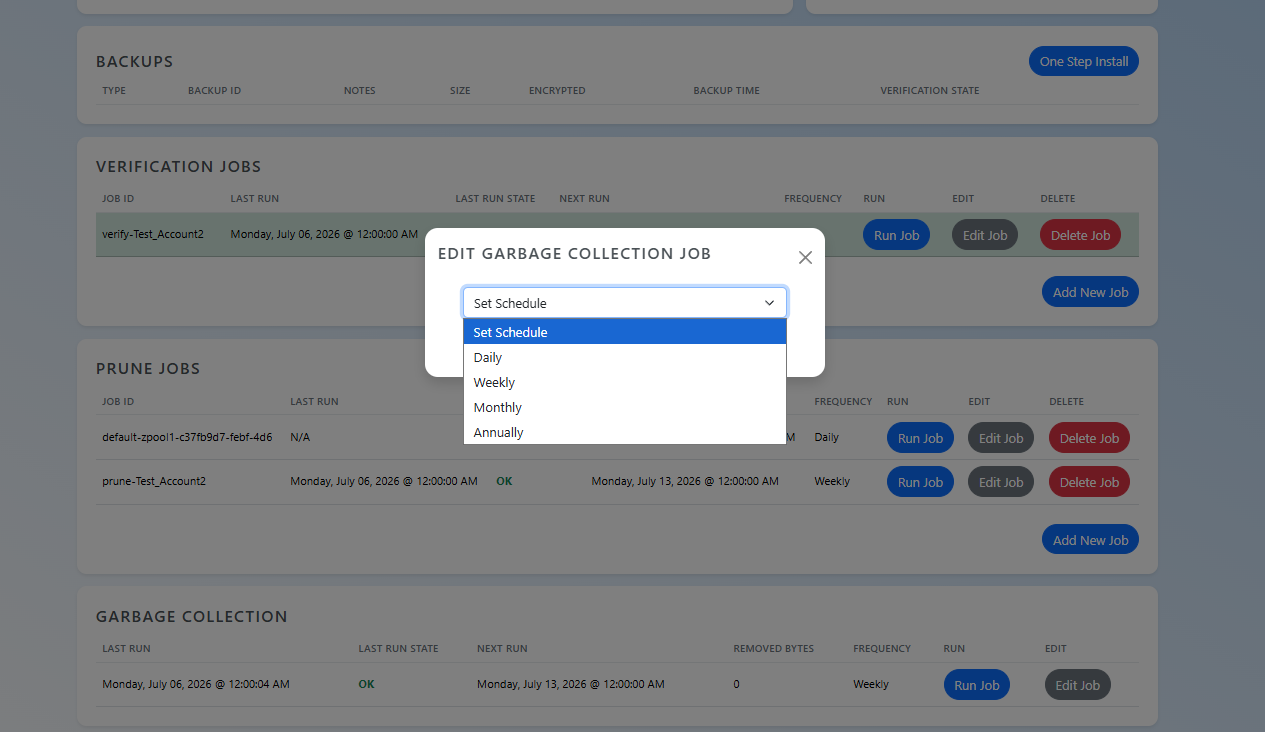
To edit it, please log into the TAC Dashboard and click the edit button in the Garbage Collection section.