
Pruning Jobs & Retention Policy
How to SetSetting Up A Prune Job
There are two ways you can set up/schedule a prune job. You can do it through the backup server or through the dashboard. We suggest setting it up through the dashboard.
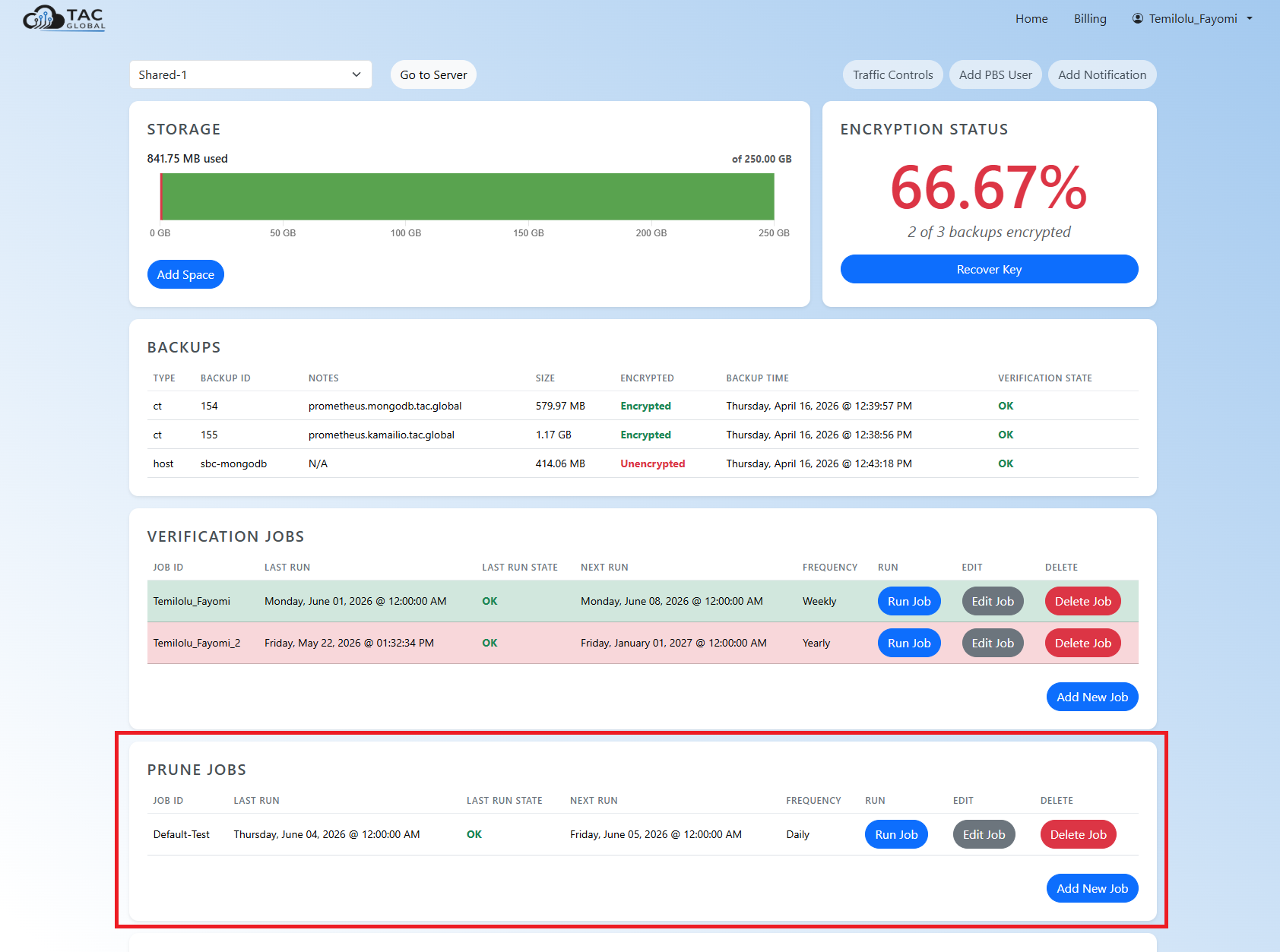
Under there you can view, edit, run or delete any existing jobs. To add a new job, hit Add New Job under the prune job table.
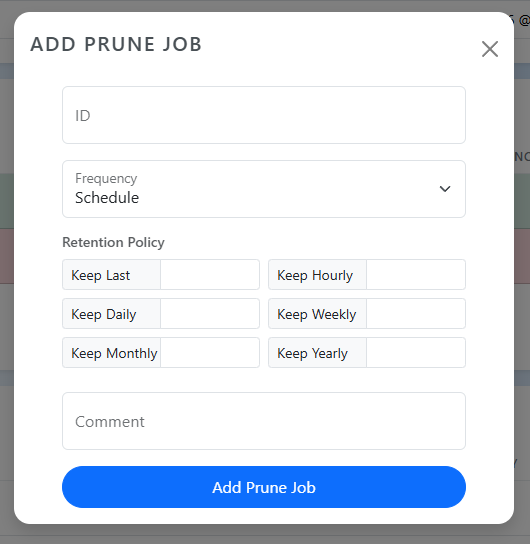
Once the prune job is added, it will show up in the prune jobs table.
Retention Policies
With pruning jobs you can set how long you'd like backups to be kept for. You can define multiple rules for the retention policy and a backup can be kept if it satisfies multiple rules defined. Pruning only removes the reference of your backups to your datastore, but it doesn't remove the actual backup. Backups are only removed when a garbage collection job is run. The table below refers to all the retention policy rules that can be applied. Proxmox also has a pruning job simulator you can use to visualize your rules.
| Option | What it keeps | Example |
|---|---|---|
keep-last |
The N most recent backups, regardless of age | 3 — always keep the last 3 backups |
keep-hourly |
One backup per hour, for N hours | 24 — one per hour for the last day |
keep-daily |
One backup per day, for N days | 7 — one per day for the last week |
keep-weekly |
One backup per week, for N weeks | 4 — one per week for the last month |
keep-monthly |
One backup per month, for N months | 6 — one per month for the last half-year |
keep-yearly |
One backup per year, for N years | 1 — one per year, kept indefinitely if set high |