
Connect Proxmox Virtual Environment to Proxmox Backup Service
Before you start
- Onboarding email with your PBS server address, datastore name and credentials
- Admin access to your Proxmox VE web interface
- (Optional) Installer link received on order confirmation page
Steps
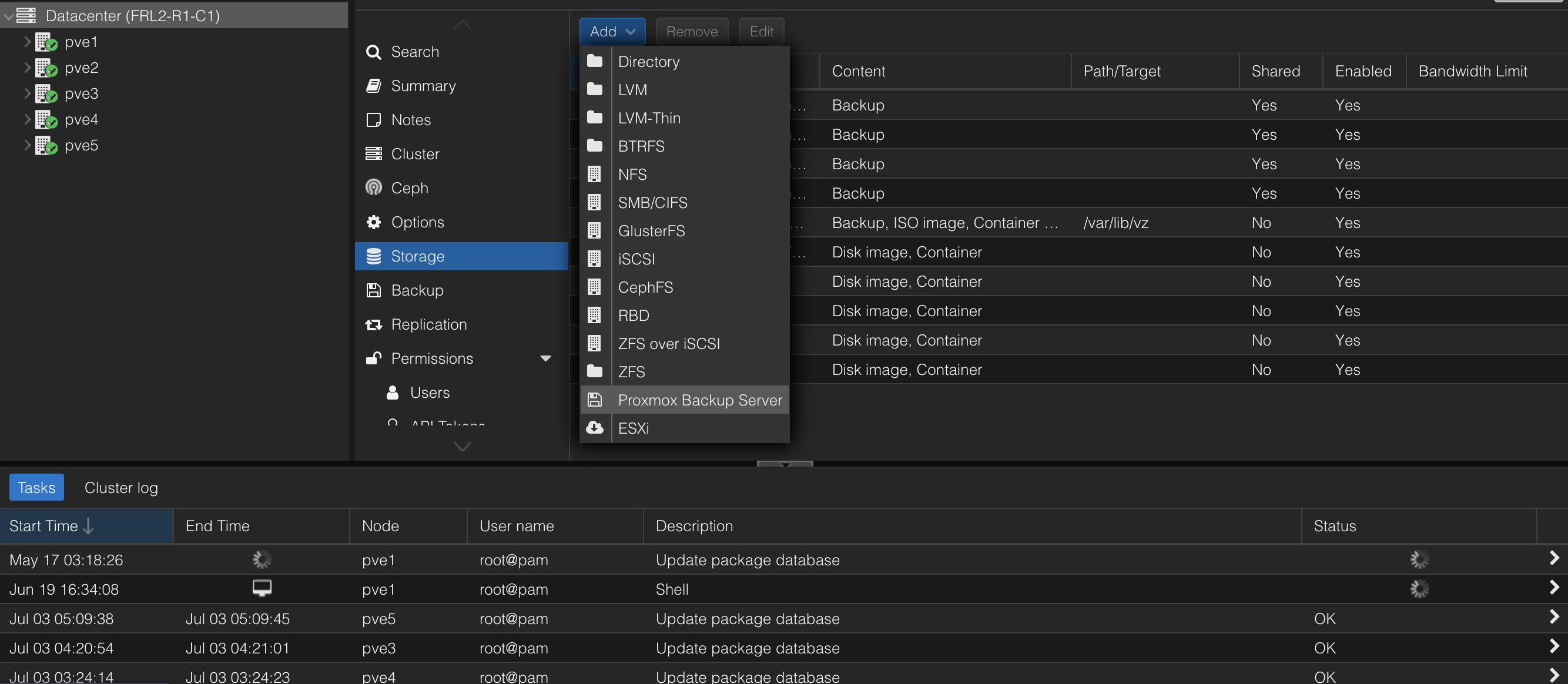
In Proxmox VE, go to Datacenter > Storage > Add > Proxmox Backup Server
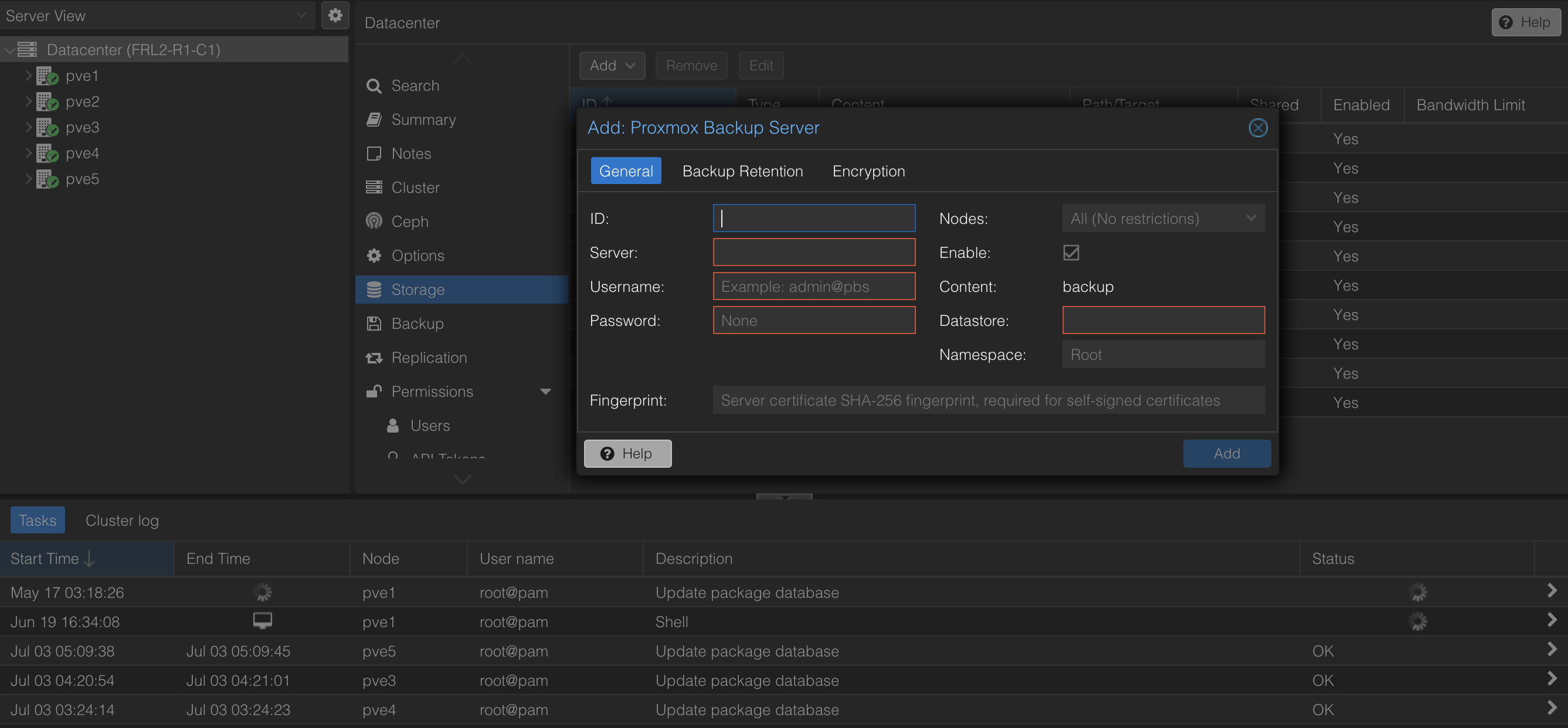
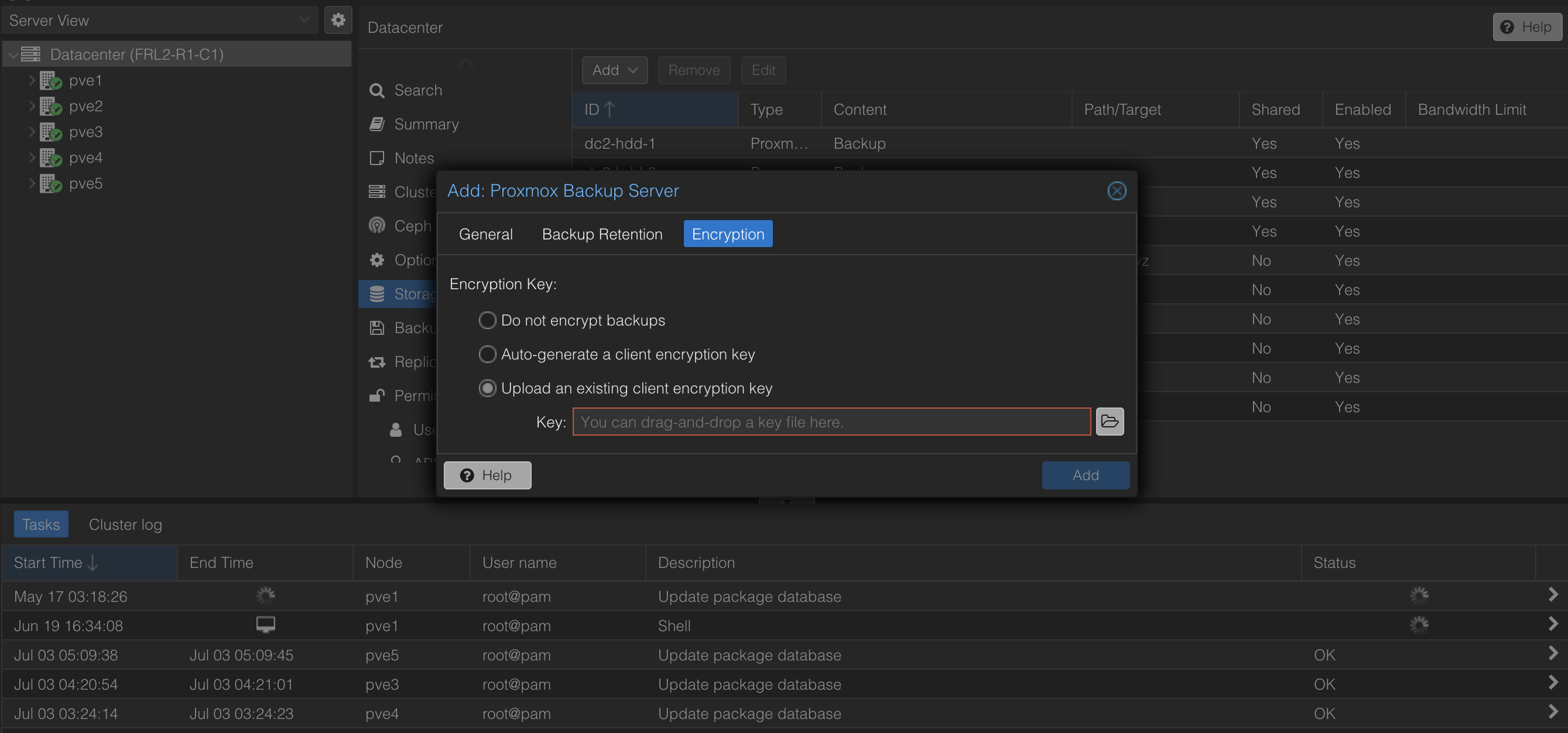
Enter the PBS address, username, password, fingerprint and encryption key from your onboarding email. If you are on the shared plan your datastore is the same as your username. For the dedicated plan, the datastore is zpool1.
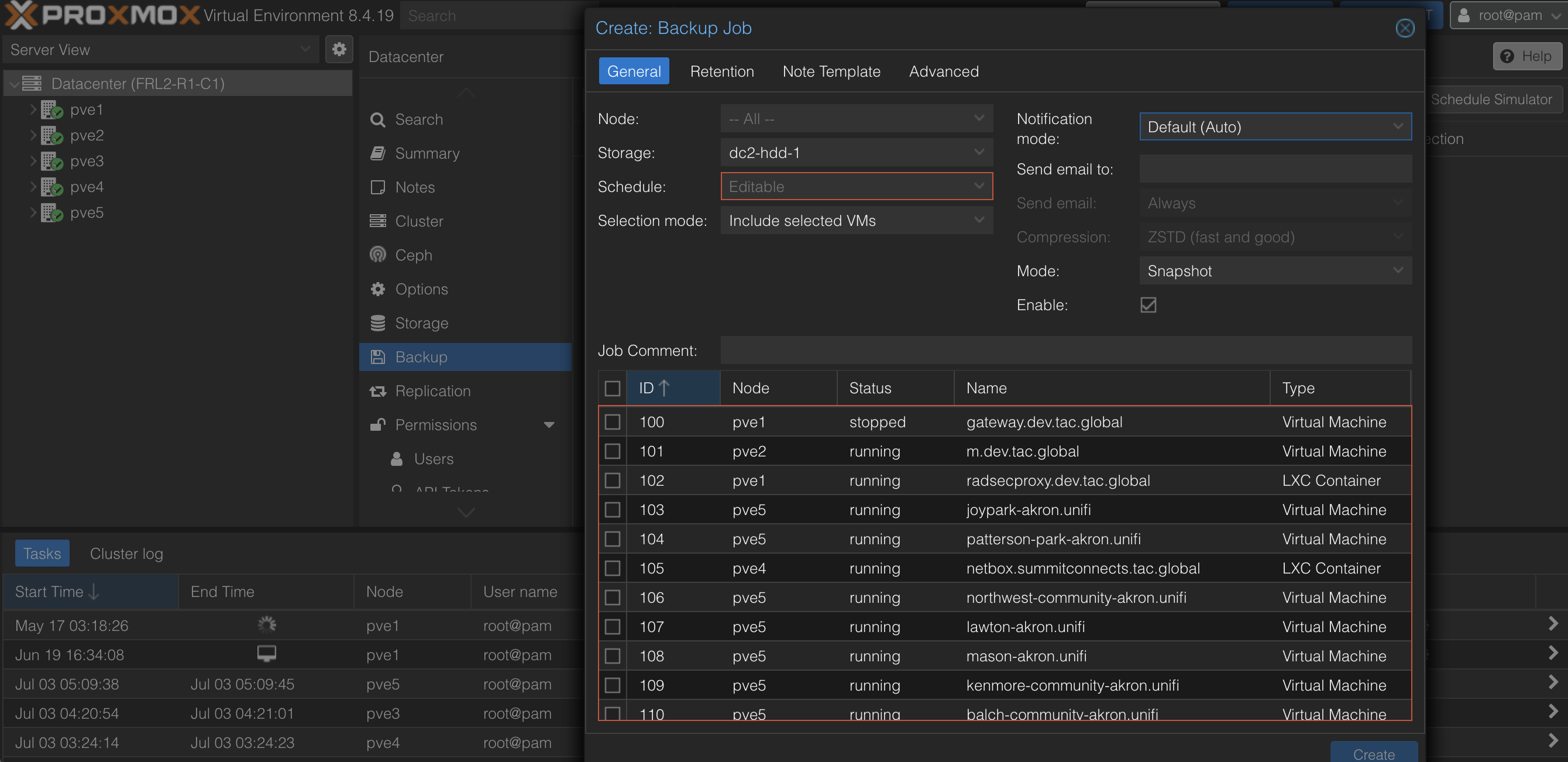
Once connected, you can create a backup job under Datacenter > Backup > Add. You can choose which VMs/containers to backup and the schedule. If you'd like to receive notifications, enter your email to get notified for job fails/successes.
To retain backups, go to the Retention section and you can set what number of backups are most recently kept and which are let go after a week up to a year.