
How to Backup Your Data
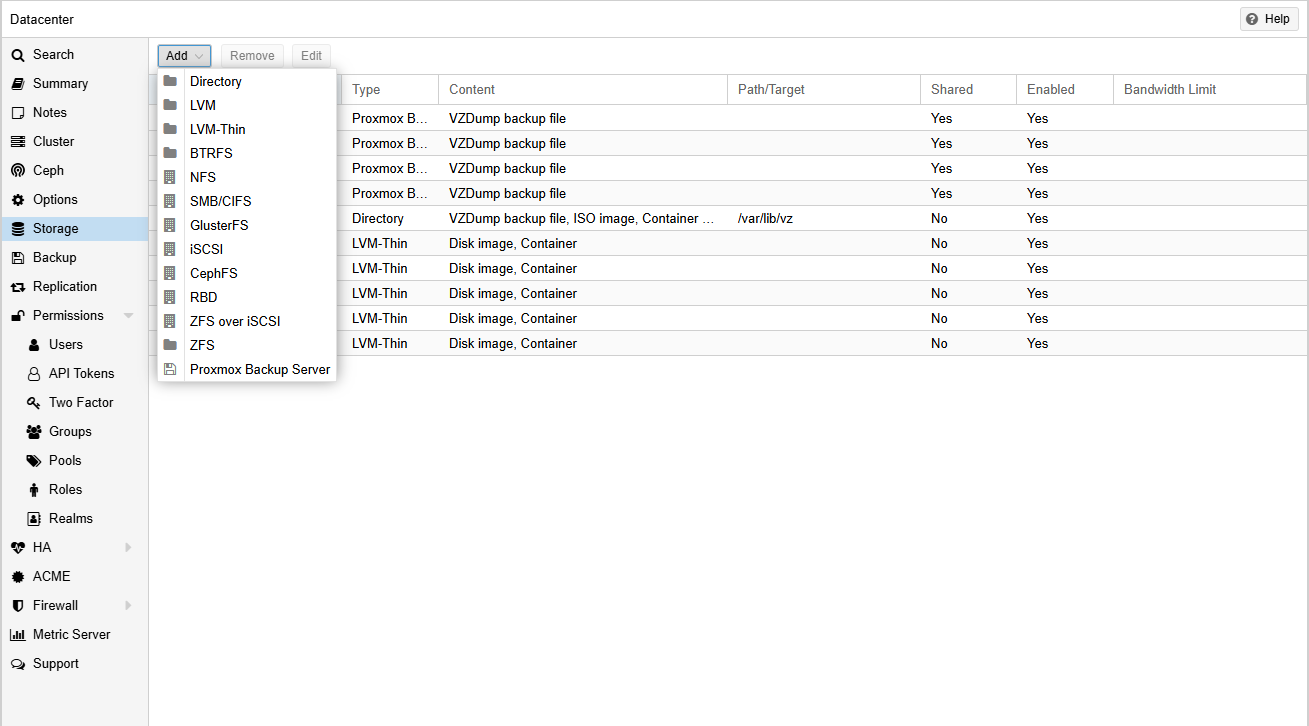
HowTo add the server, go ahead and add a Proxmox Backup Server under the Datacenter > Storage tab.
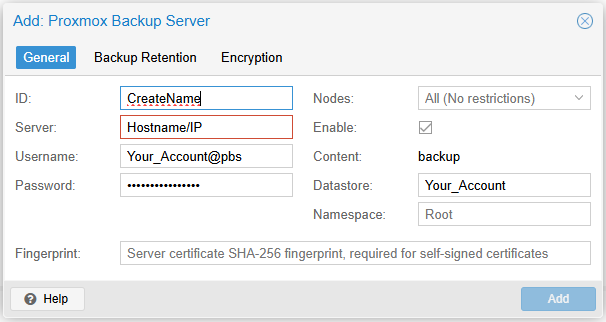
To add the server, add the information below.
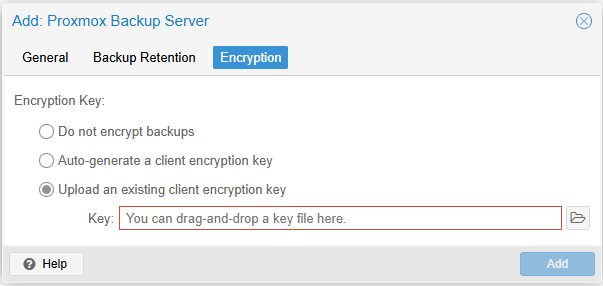
Make sure to Backupupload Youryour Dataencryption usingkey Proxmoxthat Virtualyou Environmentreceived in your setup email. This will be used to encrypt your backups.
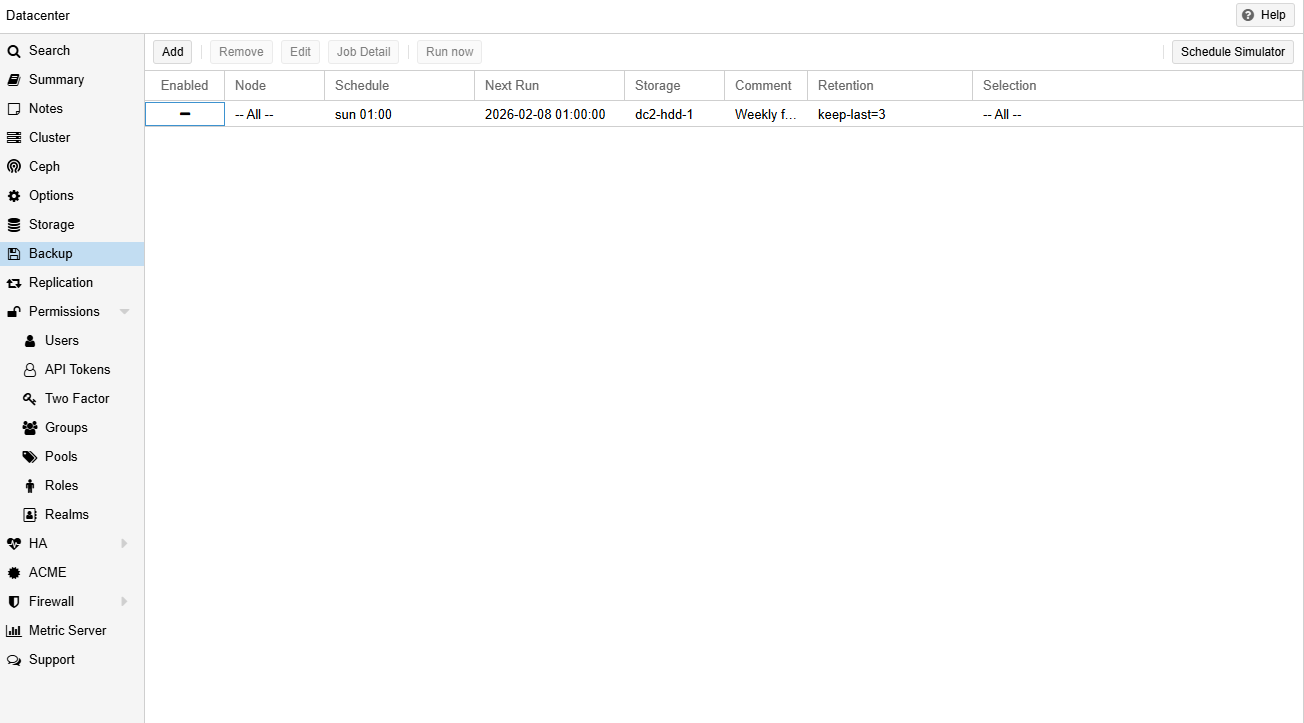
To begin scheduling your backups, go to Datacenter > Backup and add the backup jobs you would like to schedule. You can also set an email for notifications for information about the backup jobs.
If you have any questions or issues setting up your backup, please refer to Proxmox's documentation or contact support@untangledtechnology.com